About This Expression
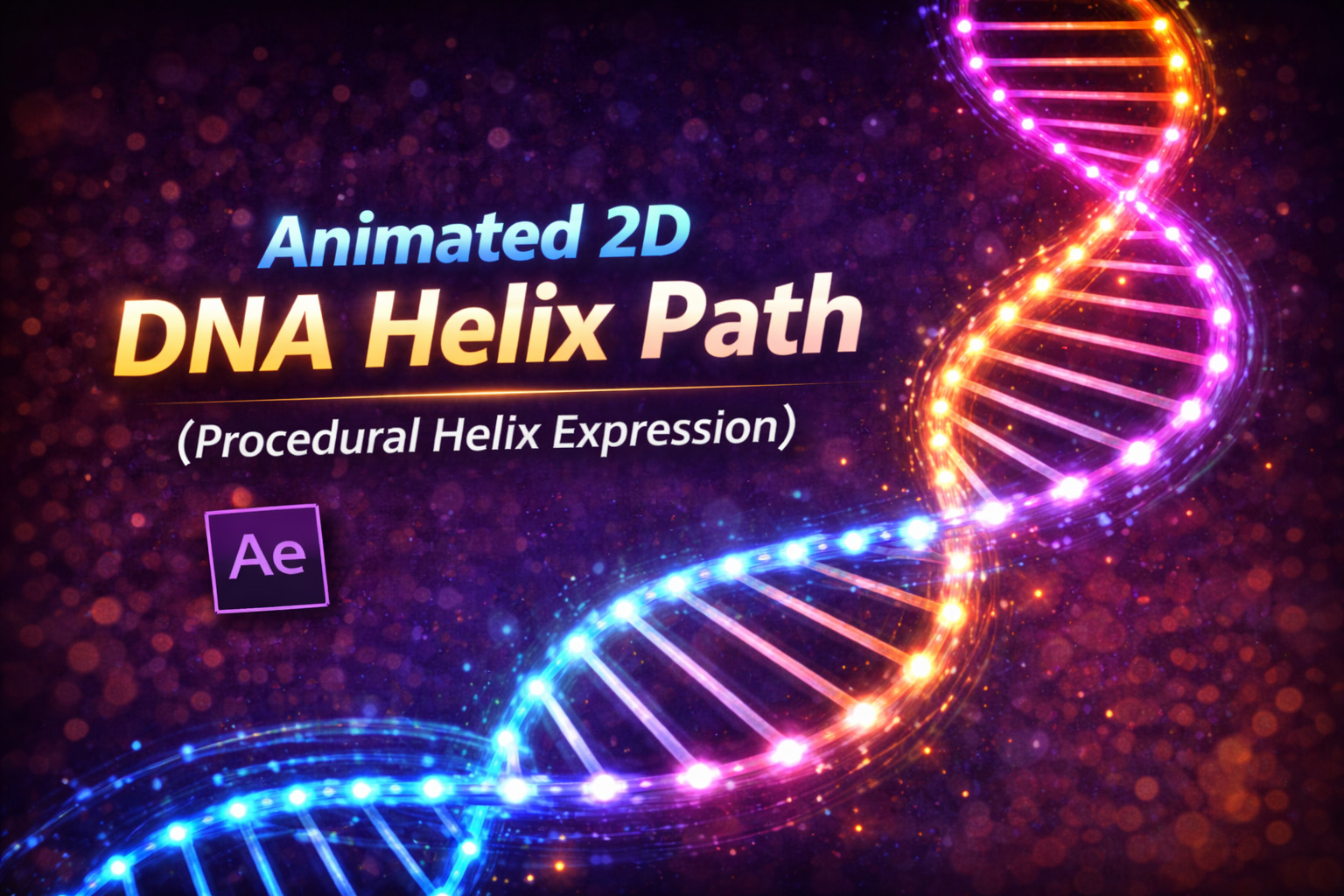
This expression procedurally generates an animated 2D DNA helix path using pure math and vector logic. Each layer represents one strand of the helix, and by duplicating the layer and offsetting it, you can build a complete double-helix structure.
The helix updates in real time and simulates pseudo-3D depth by offsetting points based on a calculated Z-value. While the path remains fully 2D, the motion creates the illusion of depth and rotation—perfect for scientific, medical, and tech visuals.
Because everything is procedural, the helix stays smooth, scalable, and infinitely adjustable.
How the Helix Logic Works
- Spiral Motion
Trigonometric functions generate circular motion over height. - Vertical Progression
The strand moves evenly from top to bottom of the helix. - Pseudo-3D Depth
A calculated Z value shifts X-position, creating depth illusion. - Smooth Curvature
Custom tangents ensure the helix remains fluid and organic. - Real-Time Animation
Rotation is driven by time, not keyframes.
Expression
// DNA Helix – Apply to Path (one strand per layer)
helixHeight = effect("Helix Height")("Slider"); // vertical length
turns = effect("Turns")("Slider"); // number of spiral turns
offset = effect("Offset")("Slider") * Math.PI / 180; // horizontal strand
speed = effect("Speed")("Slider") * Math.PI / 180; // rotation speed
radius = effect("Radius")("Slider"); // helix thickness
depth = effect("Depth")("Slider"); // pseudo-3D depth
segments = effect("Segments")("Slider"); // resolution (optional slider)
pts = [];
inT = [];
outT = [];
for (i = 0; i <= segments; i++) {
 t = i / segments;
// Helix movement
angle = t * turns * 2 * Math.PI + offset + time * speed;
x = Math.cos(angle) * radius;
y = -helixHeight/2 + t * helixHeight;
z = Math.sin(angle) * radius;
// Pseudo 3D projection
pts.push([x + z * depth, y]);
// Curved path smoothing
nextAngle = angle + (2 * Math.PI / segments);
tx = Math.cos(nextAngle) * radius;
ty = helixHeight / segments * 0.5;
inT.push([-tx, -ty]);
outT.push([tx, ty]);
}
createPath(pts, inT, outT, false);
How We Use This Expression
Step 1: Create a Shape Layer
- Open your composition
- Go to Layer → New → Shape Layer
- Select the shape layer
This expression must be applied to a Shape Path.
Step 2: Add a Path
- Twirl open the shape layer
- Go to Contents → Shape 1
- Click Add → Path
You now have a path that can be driven by an expression.
Step 3: Add Expression Controls
On the same shape layer, add:
- Slider Control →
Helix Height - Slider Control →
Turns - Slider Control →
Offset - Slider Control →
Speed - Slider Control →
Radius - Slider Control →
Depth - Slider Control →
Segments
These sliders give you full control over the helix.
Step 4: Apply the Expression to the Path
- Twirl open Path 1
- Hold Alt (Windows) / Option (Mac) and click the Path stopwatch
- Paste the full expression
- Click outside the editor
The DNA strand will instantly appear and animate.
Step 5: Build a Double Helix
Duplicate the shape layer
On the duplicated layer, set:
Offset = 180Optionally change stroke color for clarity
You now have a complete double DNA helix.
Step 6: Adjust the Look
Use the sliders to control:
- Helix Height → long or compact strands
- Turns → tight or loose spirals
- Radius → thickness of the helix
- Depth → strength of 3D illusion
- Speed → rotation motion
- Segments → smoothness vs performance
All changes update instantly.
Step 7: Style the Helix
For a polished result:
- Add Stroke with round caps
- Use gradients or color coding per strand
- Apply Glow for sci-fi or medical visuals
- Animate opacity for data-driven effects
The expression controls structure; effects control style.
Best Use Cases in After Effects
- DNA & biology animations
- Medical explainer videos
- Science documentaries
- Tech & AI visuals
- Futuristic UI backgrounds
- Educational content
Why This Expression Is So Powerful
Instead of drawing and animating paths manually, this approach uses rules, not keyframes. That makes the helix:
- Fully procedural
- Resolution-independent
- Easy to modify
- Perfect for templates
You get complex motion with minimal effort—and complete creative control.
Recent Blogs
-
Create Procedural Spiral Path (Dynamic Vector Spiral Expression)
-
Text Glitch Effect Expression (Real-Time Character Corruption)
-
Auto Scale to Comp (Smart Fit & Fill Scale Expression)
-
Snap to Layer or Comp Corners (Dynamic Alignment Expression)
-
Rainbow Color Cycle (Seamless HSL Color Loop Expression)
-
Christmas Lights Color Generator (Procedural Holiday Palette Expression)
-
Neon Light Flicker (Organic Electrical Glitch Expression)
-
Hanging Ornament Sway Animation (Natural Pendulum Rotation Expression)
-
Bell Shake & Ring Motion (Impact-Driven Oscillation Expression)
-
Heartbeat Pulse Animation (Biologically Accurate Scale Expression)